


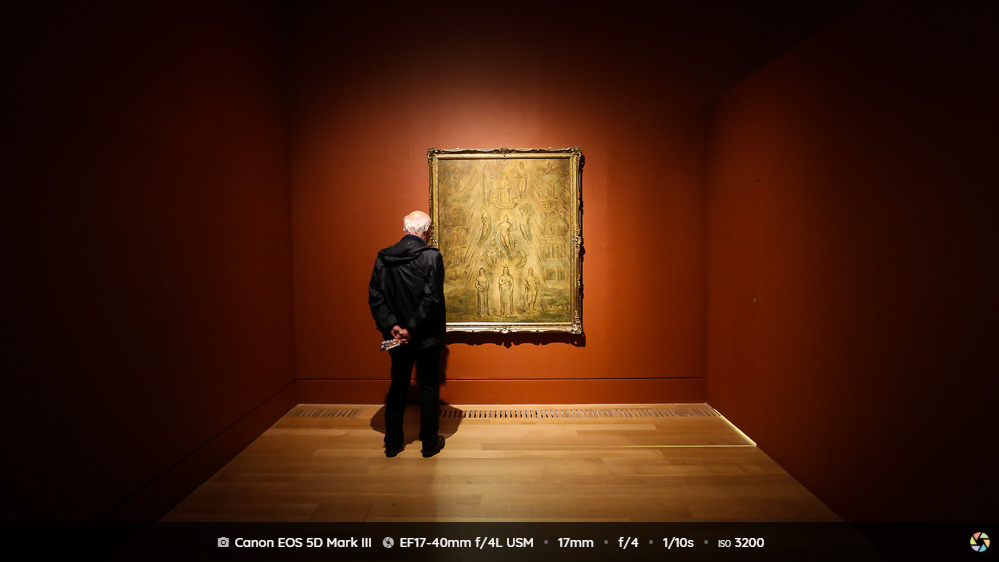
Hover the images below to trigger the EXIF overlay
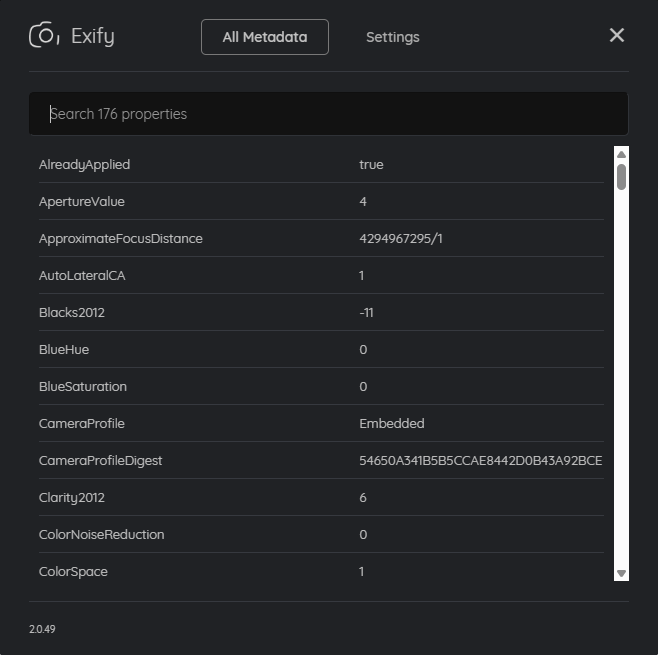
Click the Exify logo in the overlay to view all EXIF metadata and change settings.




Screenshots

What is Exify?
Exify is a browser extension that instantly displays essential EXIF and C2PA information on image hover - and lets you explore and search the full metadata. Available for Chrome, Firefox, and Microsoft Edge.
Who is Exify for?
- PhotographersLearn what gear and camera settings were used to capture a photo.
- Researchers / OSINTDive deeper into image metadata for analysis and investigations.
- Anyone curious about imagesGet quick access to image metadata on any website.
How Exify works?
- Hover over an image - Exify is triggered automatically for images with a long side of 500px or more.
- View data instantly - A curated selection of EXIF properties is displayed in a sleek overlay for images with embedded EXIF metadata.
- Check Content Credentials - A badge displays verification status and certificate issuer for images with embedded C2PA credentials.
- Explore full metadata - Click the Exify logo or right-click the image and select "Show EXIF" to view and search all EXIF properties plus additional C2PA information.
Supported metadata formats
C2PA
Exify verifies and displays Content Credentials, helping you trace an image's origin and identify AI-generated images.
Learn more in the Introduction to C2PA blog post.
Location
Image detection
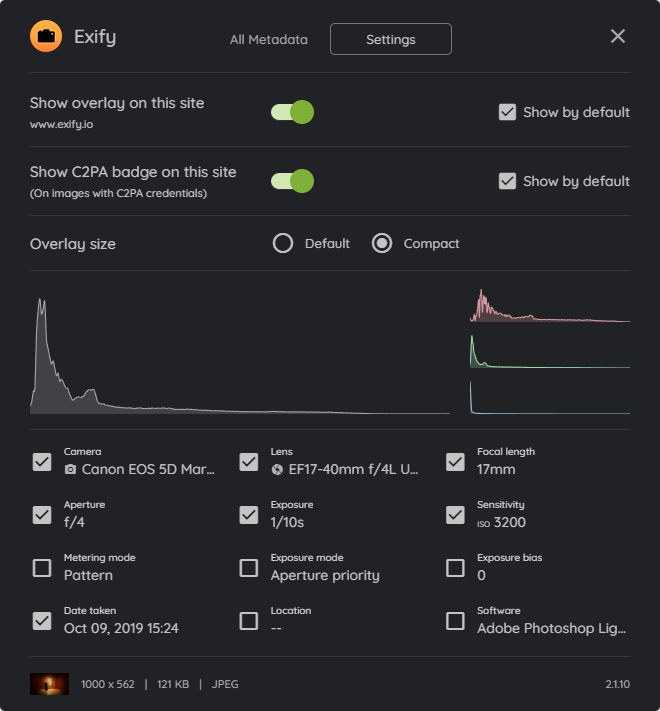
Settings
The settings dialog lets you customize the overlay's content, position and size, toggle the EXIF overlay and C2PA badge on or off for specific sites, and view the image histogram.
Learn more in the Exify settings overview blog post.
Limitations
Exify can only display EXIF and C2PA metadata that is embedded within the image.
The availability of this data depends on the website, image hosting service, or image owner.